How Rivalio works
From setting up a tournament to the final trophy. Pick your role and walk through your journey step by step.
Run a tournament in an afternoon, not a weekend
Build the tournament
The new-competition wizard walks you through the basics, package and treasury - your organization is created automatically with the first tournament and billing details are pre-filled from ARES. Nothing to pay on the free plan.
- Create a competition with the wizard: basics, package, treasury
- Choose a format: tournament with groups and playoff, league, or a single match
- Set up a playoff bracket for 4, 8, 16 or 32 teams, including double elimination
- Create groups and seed teams manually or via online registration with a roster and QR entry-fee payment
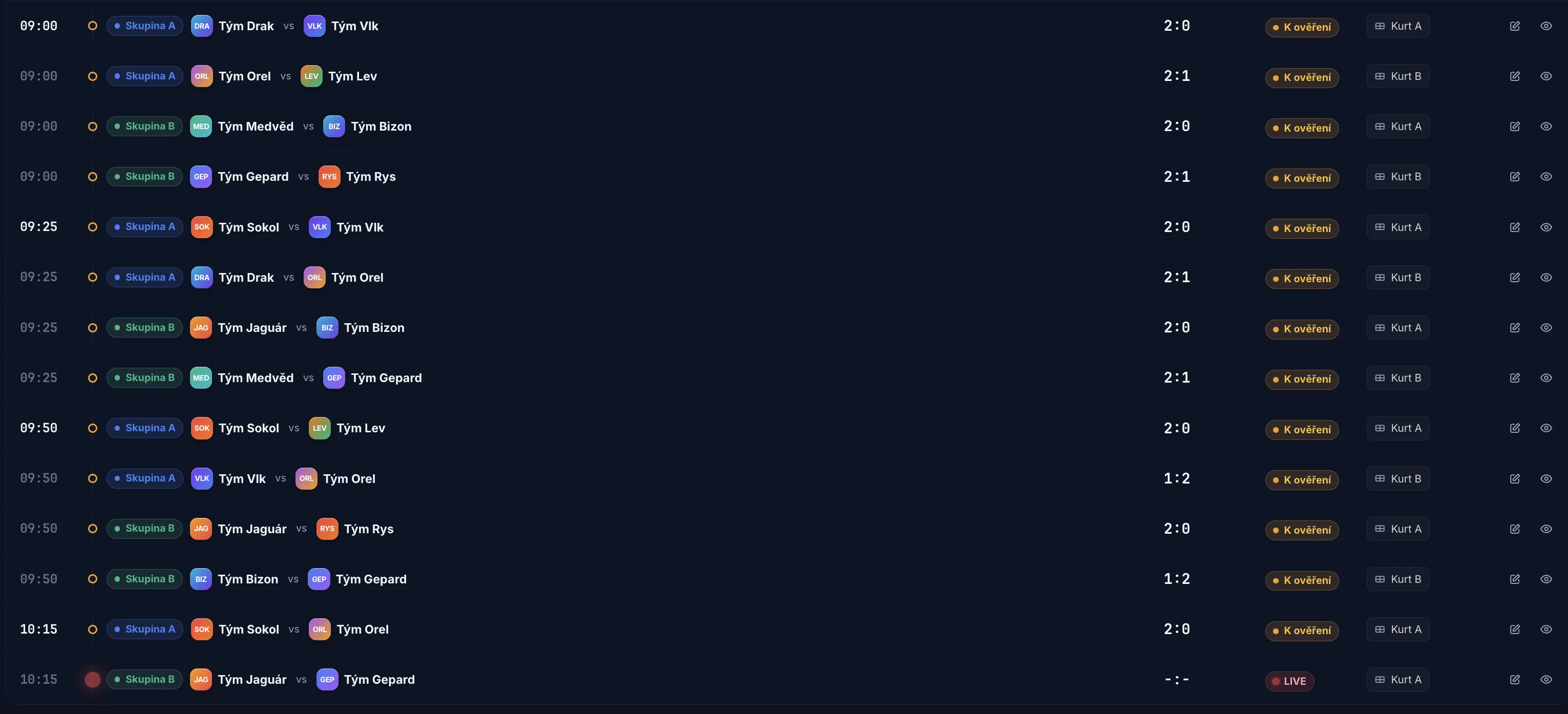
- Generate a schedule across courts and time slots with collision detection
Publish and collect teams
Check the option to list in the tournament catalog and add an address. After approval (usually within one day) players will find you on the map and in filters. The tournament gets its own public page with the schedule, results and registration form.
- Add the tournament to the catalog and fill in the address
- After approval (usually within one day) players will find you on the map and in filters
- Public tournament page with schedule, results and registration
Run tournament day
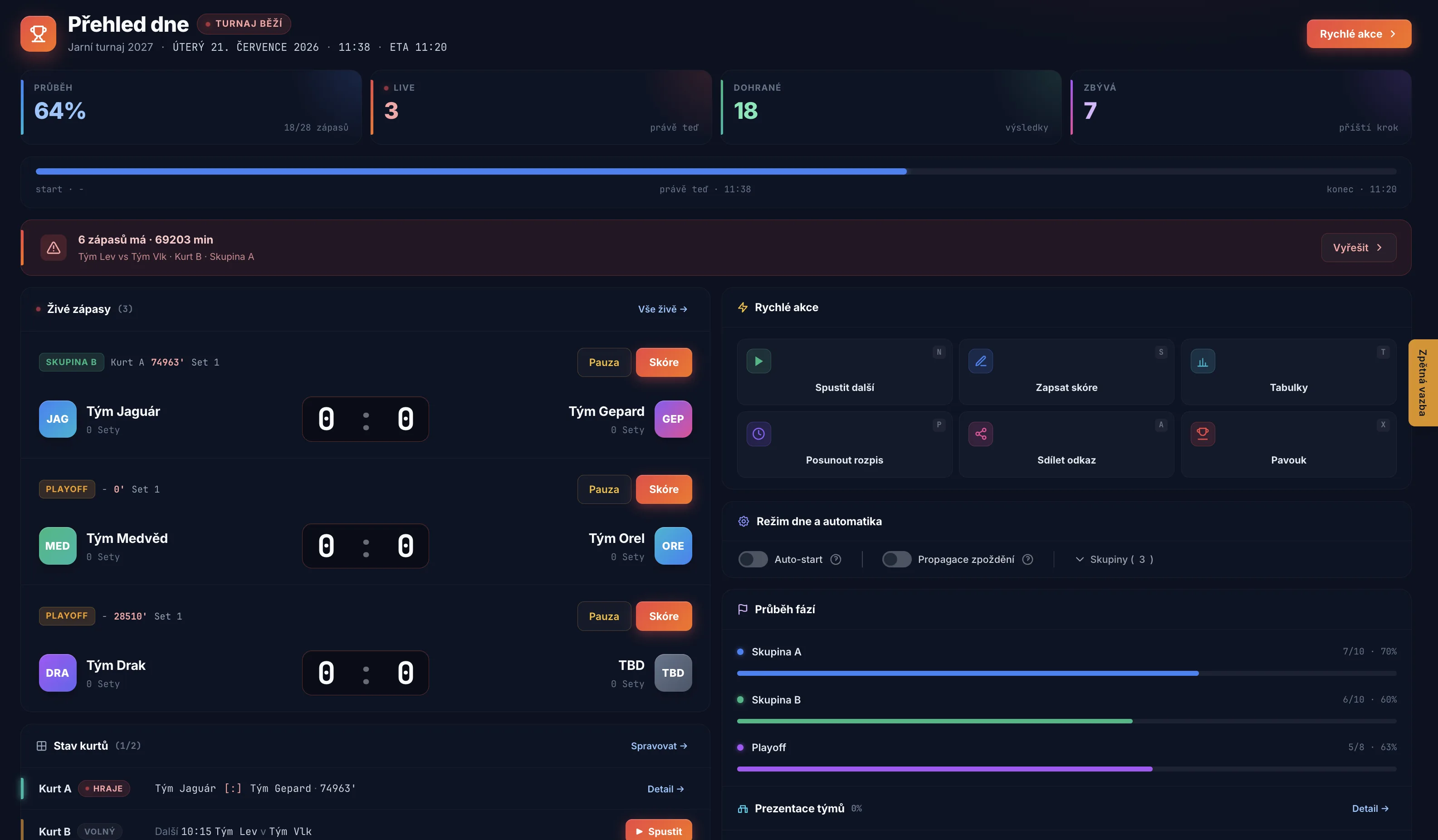
You run the whole day from a single control center, the day overview: start and pause matches, check in arriving teams, and fix delays by shifting an entire group. Referees enter scores from the court, standings update automatically.
- Start and pause matches from the day overview
- Check in arriving teams
- Fix delays by shifting an entire group
- Referees enter scores from the court, standings update automatically
- Big-screen and stream graphics switch on their own: live match, schedule, countdown
After the tournament
Participants receive results by email, you keep the statistics, season series links and a complete archive.
- Results go out to participants by email
- Tournament statistics stay with you
- Link seasons into a series
- Complete archive
Things to think about before tournament day
Internet
Rivalio runs in the browser and needs a connection for scoring. We recommend at least 4G for referees and yourself, plus a mobile hotspot as backup. The referee console survives a brief outage and scores can be added retrospectively.
Big screen
A TV or projector at the court with Rivalio graphics. Spectators see live scores, the schedule and a countdown, and automatic scenes rotate on their own.
Everything on a phone
Players and fans install nothing. The schedule, who plays when, live scores and standings open in a browser on a phone.
Find where to play and keep all your results in one place
Find a tournament
Browse the tournament catalog on a map or by filters: region, date, free entry, or tournaments near you. Add the date to your calendar.
Register your team
Fill in the roster and submit the registration, then pay the entry fee via QR code. With an account your roster and club team are saved and the form is pre-filled.
Watch live
On the tournament page you can see when you play, live scores without refreshing, standings and the bracket - all in a browser on your phone, no install needed.
Keep your profile
When signed in to the portal Rivalio tracks your statistics, form, head-to-head records, badges, trophies and history. Your account links automatically to played matches by email.
What you can do without an account vs with one
- Browse the catalog and find a tournament
- Register a team and pay the entry fee
- Watch live scores and results
- View a public player profile
- Saved roster and club team
- Follow and rate a tournament
- Statistics, form, badges, trophies
- Notifications, calendar, community
Score from your phone, results update themselves
You get access
The organizer assigns you and sends your login details by email. Nothing to install, and you have no access to the admin area - nor do you need it.
Open the console
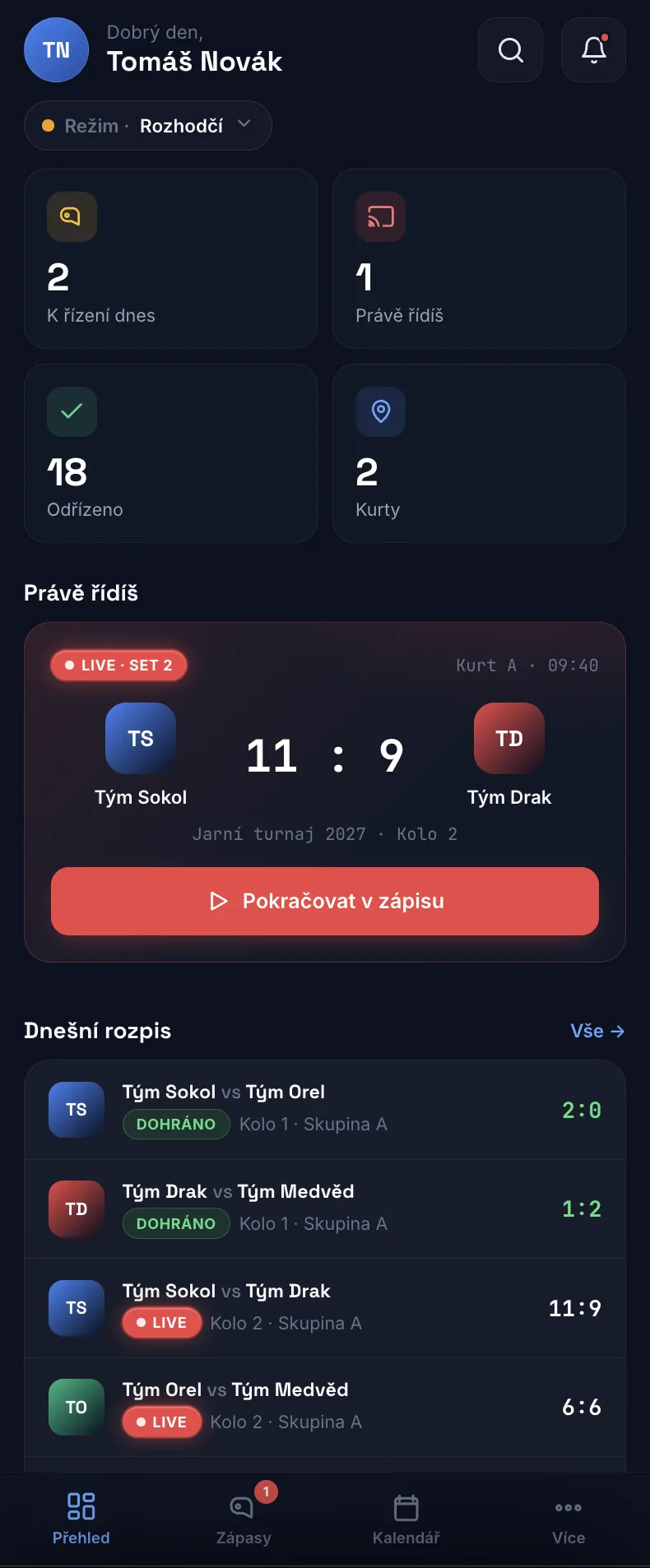
On your phone you only see your own matches - live, ready to start and finished. Big buttons so it works even in sunlight and gloves.
Score the match
Start the match, record points and confirm sets - you have sides, a pause and a timeout at hand. The system tracks how many points, how many sets and who won - you count nothing.
Done
Once you finish the match the result automatically updates the standings, the tournament website and the stream. The organizer changes nothing manually.
What you need
A phone with a browser and an email with access. That is all.
In a league you record the encounter by discipline - the match report is signed and closed.